How Do I Set Up Astro TV in My Malaysian Home?
Alright, my fellow expats, settling into a new home in Malaysia is an adventure, isn't it? After wrestling with utility hookups and figuring out how to get your internet sorted, you might find yourself longing for the familiar comfort of a proper TV setup. While streaming services are great, sometimes you just want that traditional channel surfing experience, especially for local news, sports, or even a bit of local drama. This guide is here to walk you through the (sometimes bewildering) process of setting up Astro TV in your Malaysian home, so you can sit back, relax, and tune into your new life with ease.
Why Astro? Understanding Malaysia's Primary Satellite TV Provider
When you first arrive in Malaysia, you'll quickly notice that Astro is the dominant player in the satellite and IPTV market. It's practically synonymous with home entertainment here. Many local households rely on it for their daily dose of news, sports, movies, and local programming. For an expat, understanding why Astro holds such a prominent position, and whether it’s the right fit for your entertainment needs, is crucial before diving into the setup process.
The Unrivalled Reach and Content Library
Astro offers an extensive range of channels, from local Malaysian content in Bahasa Melayu, Mandarin, and Tamil, to a broad selection of international channels covering everything from Hollywood blockbusters to British dramas, documentaries, and international news. You'll find popular staples like HBO, BBC, CNN, National Geographic, and many sports channels, including those for the English Premier League, often a huge draw for football fans. This vast content library means there's usually something for everyone in the family, catering to diverse linguistic and cultural preferences.
Beyond just the sheer number of channels, Astro also boasts a strong on-demand library with Astro On Demand, allowing you to catch up on shows you've missed or explore new content at your leisure. They also have an associated streaming app, Astro GO, which lets you watch your subscribed channels on the go, whether you're commuting on the LRT or relaxing at a café. This kind of widespread accessibility and deep content integration is something other providers often struggle to match, making Astro a convenient one-stop solution for many households. However, it's worth noting that while comprehensive, the sheer volume can also feel overwhelming, and you might find yourself paying for many channels you never actually watch.
Potential Hurdles and Realistic Expectations
Now, while Astro offers a lot, it’s not without its typical Malaysian administrative quirks and costs. Firstly, satellite dish installation is usually required, meaning you'll need landlord permission if you're renting. This can sometimes be a sticky point, particularly in older apartments or those with strict aesthetic rules. The installation itself is generally straightforward once approved, but coordinating appointments can, as with many services here, test your patience.
Cost is another factor. Astro packages can range from relatively affordable basic tiers to quite expensive premium bundles, especially if you opt for high-definition (HD) channels, sports, or movie add-ons. You might also encounter initial setup fees for the decoder and dish, though these are often waived or discounted during promotional periods. Furthermore, while the customer service has improved over the years, navigating it as a foreigner can still present challenges. Be prepared for potential language barriers, long wait times, and a need for persistence when issues arise. You might also find yourself paying for channels you don't really watch, a common frustration when dealing with bundled packages rather than a la carte options. For a thorough breakdown of other living costs, you might find our guide on The Complete Guide to Cost of Living in Malaysia for Expats (2026) helpful.
The Step-by-Step Process to Get Astro Installed
Alright, let’s get down to business. Once you’ve decided that Astro is for you, here’s a detailed walkthrough of how to actually get it up and running in your home. Remember, flexibility and patience are your best friends when dealing with any service installation in Malaysia.
Choosing Your Package and Signing Up
The first real step is deciding which Astro package suits your needs and budget. Astro offers various bundles, typically categorized by content type: Starter Packs, Sports Packs, Movie Packs, Variety Packs, and so on. They also have options that bundle with broadband internet, which can sometimes offer better value than getting internet and TV separately. Visit the official Astro website or one of their physical service centers (e.g., in shopping malls like Mid Valley Megamall or Suria KLCC) to explore the latest offerings.
When you're ready to sign up, you'll generally need to provide:
- Your passport (or Malaysian IC if you have one, but as an expat, your passport is key).
- A valid Malaysian visa or employment pass (to prove your long-term stay).
- Proof of address (e.g., tenancy agreement, utility bill like a TNB bill, which you can learn about in How to Set Up Electricity (TNB) in Your Malaysian Home).
- A local bank account for direct debit payments. If you haven't opened one yet, our guide on The Expat Guide to Opening a Bank Account in Malaysia can assist.
You can sign up online, via their hotline, or in person. I personally recommend visiting a service center if you’re new to the country. It allows you to speak to a representative face-to-face, ask all your questions, and clarify any doubts about pricing or installation specifics. They might even have current promotions not widely advertised online. Be ready to commit to a contract, usually 12 or 24 months, so make sure you’re happy with your chosen package.
Installation Day: What to Expect
Once your application is approved and a contract signed, Astro will schedule an installation appointment. This is where landlord permission becomes critical. Ensure you have it in writing, if possible, especially if your building has a residents' association that might be particular about external installations. On the day of installation, a technician will arrive at your home. They will:
- Assess Satellite Dish Placement: The technician will identify the optimal location for the satellite dish, usually on a balcony, rooftop, or an external wall with a clear line of sight to Astro's satellites. They'll need to run a cable from the dish to your TV decoder.
- Install the Satellite Dish: This involves mounting the dish securely and aligning it precisely. Make sure to communicate any concerns about drilling or cable routing with the technician.
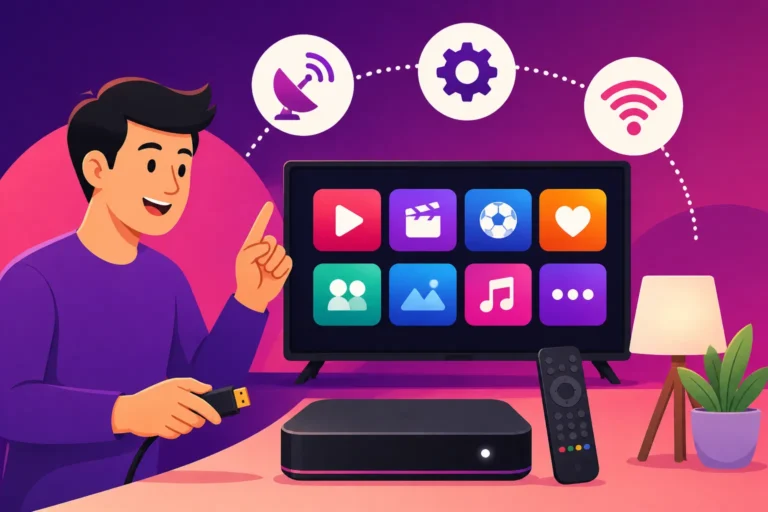
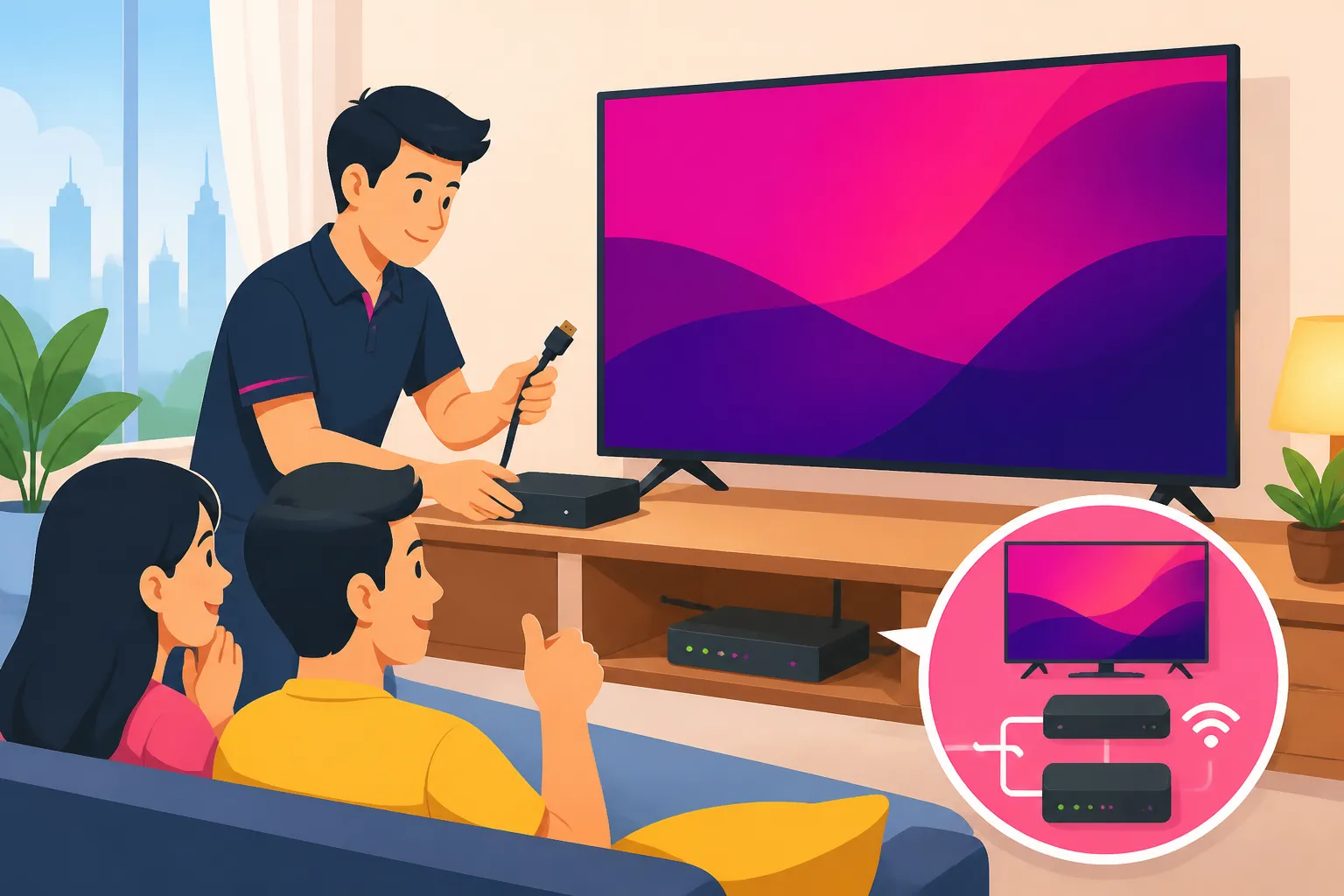
- Install the Decoder and Cable Routing: The decoder, which is the box that processes the satellite signal and connects to your TV, will be set up near your television. The technician will connect the cable from the dish to the decoder and then to your TV (usually via HDMI). They might also set up internet connectivity for on-demand services if you've opted for a PVR (Personal Video Recorder) or internet-enabled decoder.
- Channel Activation and Testing: Once everything is physically connected, they’ll activate your Astro subscription and ensure all your subscribed channels are working correctly. This is your chance to ask questions about basic operation, remote control functions, and the Astro interface.
The entire process usually takes a few hours. While the technicians are generally efficient, minor delays can occur due to unforeseen technical challenges or, let's be honest, Malaysian traffic. Having someone who speaks Bahasa Melayu to assist with communication, if you're not yet fluent, can be incredibly helpful. If you’re just moving into a new place, managing all these installations at once can be a lot. Services like Sirelo can help with the broader moving process, making sure your furniture and other essentials arrive smoothly while you coordinate your utility and entertainment hookups.
Managing Your Account and Troubleshooting
After installation, you'll manage your Astro account primarily through their website or the My Astro app. Here you can view your bills, change packages, and access customer support. If you encounter any issues – no signal, missing channels, decoder problems – your first step should be to check the Astro website's troubleshooting guides or call their customer service hotline (1300-82-78276).
Be prepared to provide your account number and sometimes personal verification details. For common issues like bad weather affecting satellite signal, there's not much you can do but wait it out. For technical faults with equipment, Astro will schedule a service visit. Remember that internal linking within your home, like Wi-Fi stability, is crucial for seamless streaming of on-demand content through your Astro box or Astro GO app. If you're having trouble with your internet at home, our guide on How to Set Up Internet (Unifi) in My Malaysian Home? could be beneficial.
Astro Packages, Channels, and Costs
Navigating Astro's labyrinth of packages, add-ons, and pricing structures can feel like a mini-adventure in itself. As an expat, you’re looking for value, clear information, and content that resonates with you. Let’s demystify it a bit.
Deconstructing Astro's Bundles
Astro typically categorises its offerings into "Packs" that combine channels based on genre or interest. While the exact names and channels might evolve with time, the general structure remains. You usually start with a "Primary Pack" or "Base Pack" and then layer on "Add-on Packs."
Here’s a typical breakdown of what you might encounter:
- Primary/Starter Packs: These usually include basic local channels, some news, lifestyle, and general entertainment in various languages. They are the most affordable entry point.
- Sports Packs: Essential for any sports enthusiast, offering channels like Astro SuperSport, Eurosport, and sometimes dedicated channels for specific leagues (like the Premier League). These are often the most premium add-ons.
- Movies Packs: Home to dedicated movie channels like HBO, Cinemax, Fox Movies, and local movie channels, providing a constant stream of films.
- Kids Packs: Channels specifically for children, like Cartoon Network, Disney Channel, andNickelodeon.
- Variety/Lifestyle Packs: Broad content covering documentaries, dramas, reality shows, and international general entertainment. Think Discovery, TLC, National Geographic, and popular foreign drama channels.
- News & Learning Packs: Dedicated news channels (BBC, CNN, Al Jazeera) and educational content.
The trick is figuring out which combination gives you the most bang for your buck without paying for channels you'll never tune into. Always check for current promotions, as Astro often offers discounts for new sign-ups or bundles with fibre broadband services from providers like Maxis, CelcomDigi, or TM Unifi.
Sample Pricing and What Affects Your Bill
Pricing for Astro varies significantly based on the number and type of packs you subscribe to, whether you opt for HD channels, and if you include their Ultra Box or Ulti Box (which offer enhanced features like 4K viewing, cloud recording, and integrated streaming apps).
Let’s look at a hypothetical example, keeping in mind that actual prices fluctuate and promotions are common.
| Package Tier | Estimated Monthly Cost (RM) | Key Inclusions | Common Expat Interest |
|---|---|---|---|
| Primary Pack | 50 – 70 | Basic local, news, lifestyle channels (SD) | Getting a feel for local media, basic news. |
| Starter Pack | 80 – 100 | Primary + limited international entertainment, some HD channels | More variety, early international content access. |
| Movie Pack | 120 – 150 | Starter + Premium Movie Channels (HBO, Cinemax, etc.) | Film buffs, English movie selection. |
| Sports Pack | 130 – 160 | Starter + All Sports Channels (Premier League, F1, etc.) | Football fans, sports enthusiasts. |
| Premium Pack | 180 – 250+ | All-inclusive (Sports, Movies, Kids, Variety) with Ultra Box & 4K channels | Families, comprehensive entertainment, those wanting everything. |
| Broadband Bundle | Varies (add 80-150 to TV) | TV package + Fibre Internet (e.g., 100Mbps to 500Mbps) | Cost-saving for integrated services, single bill. |
Note: These are illustrative figures. Always check Astro's official website for current pricing and promotions.
Beyond the monthly subscription, watch out for one-time fees. You might pay for the installation itself (though often waived during promotions), a security deposit (especially if you're on a work permit), and equipment fees for the decoder. If you choose an advanced box like the Ultra Box, there might be a premium initial fee or a slightly higher monthly rental. Always clarify all costs upfront, including any cancellation fees if you decide to terminate your contract early.
Remember, the prices can feel steep compared to some streaming-only options back home, but for comprehensive local and international TV, Astro remains a strong contender. For other costs related to setting up a home, you could refer to How Much Does It Cost to Set Up a Home in Kuala Lumpur?.
Alternatives and Complementary Streaming Options
While Astro reigns supreme for traditional TV, the modern expat often relies on a mix of services to get their entertainment fix. You might find that Astro alone doesn't quite hit the mark, or perhaps you want more flexibility and lower costs.
International Streaming Services
The global streaming giants are, of course, readily available in Malaysia. Netflix, Disney+ Hotstar, Amazon Prime Video, and Apple TV+ all offer vast libraries of movies, TV shows, and documentaries. These platforms are generally more affordable than premium Astro packages and offer tremendous flexibility – you can cancel anytime, and they're platform-agnostic, meaning you can watch them on your smart TV, phone, tablet, or laptop.
- Netflix: Still the king of original content and a massive library.
- Disney+ Hotstar: Great for Disney, Marvel, Star Wars, and Pixar fans, plus a good selection of Asian content.
- Amazon Prime Video: Includes some compelling originals and a decent movie library, often bundled with other Amazon Prime benefits.
- Apple TV+: Smaller library but high-quality original programming.
The downside? They lack local Malaysian channels, live sports broadcasts (unless specifically licensed by the platform), and the immediate access to breaking local news that Astro provides. However, for sheer variety of on-demand international content, they are unbeatable. And remember, if you're hopping between streaming services or just need to stay connected with high-speed mobile data for your everyday apps while out and about, a reliable eSIM from providers like Airalo can be a lifesaver. This ensures you're never without a connection to stream, work, or navigate.
Local Streaming and IPTV Alternatives
Malaysia also has its own growing ecosystem of local streaming options:
- unifi TV: Offered by Telekom Malaysia, unifi TV is an IPTV service that comes bundled with their fibre internet plans. It offers a mix of local and international channels, live sports, and on-demand content, often at a competitive price when combined with internet. This is a strong alternative if you're already considering a Unifi fibre package, and you can learn more about internet options in How to Choose a Mobile and Internet Provider in Malaysia.
- dimsum entertainment: Focuses heavily on Asian (especially Chinese, Korean, Japanese) dramas, movies, and variety shows, often with English subtitles.
- iQIYI, Viu, WeTV: These platforms are popular for a wide array of Asian dramas, particularly K-dramas, C-dramas, and Thai series. They often have free tiers with ads and premium subscription options for ad-free viewing and exclusive content.
- RTMklik / MyTV: Malaysia's national broadcaster, RTM, offers a free streaming platform with its terrestrial channels (TV1, TV2, Okey) and radio stations. MyTV provides digital terrestrial TV (DTTV) via an antenna for free, offering clear reception of RTM and Media Prima channels. This is an excellent, no-cost way to get local news and basic entertainment.
The Hybrid Approach: Best of Both Worlds
Many expats find that a hybrid approach works best. You might opt for a basic Astro package for local news, specific sports channels, and that traditional TV experience, then supplement it with 1-2 international streaming services like Netflix or Disney+ Hotstar for your movie and series fix. This way, you get the best of both worlds – local flavour and global content – without breaking the bank on an overly comprehensive Astro bundle.
Before making your final decision, take a moment to assess your priorities: Do you need live sports? Is local news important to you? How much do you value on-demand international series? Your answers will guide you to the perfect entertainment setup in your Malaysian home. If you're weighing all your utility options, consider checking out The Expat Guide to Setting Up Utilities in Malaysia.
Disclaimer
The information provided in this guide is for general informational purposes only and is based on typical expat experiences and publicly available data as of the last update. While we strive to keep the content accurate and current, details such as pricing, package inclusions, and specific administrative procedures for Astro TV, other service providers, and brands like Airalo or Sirelo, may change without prior notice. Always consult the official websites or contact the service providers directly for the most up-to-date and accurate information before making any decisions. We are not responsible for any discrepancies or outdated information.