How Do I Pay My TNB Electricity Bill Online?
Ah, the Malaysian utility bill! For many of us expats, that first TNB (Tenaga Nasional Berhad) electricity bill landing in our mailbox, or more likely, in our myTNB digital inbox, can feel like staring at a foreign language puzzle, even if it’s in English. You’ve just gotten settled in, perhaps wrestling with getting your internet (Unifi) in your Malaysian home sorted and adapting to the tropical heat that demands constant air-conditioning, and now you have to figure out how to actually pay for it all. This guide is going to walk you through exactly how to pay your TNB electricity bill online, cutting through the confusion and making it as painless as possible.
Understanding Your TNB Bill and Account
When you first arrive in Malaysia, after the initial whirlwind of getting your visa sorted and finding a place to live, the practicalities hit hard. Setting up utilities is one of those big ones. You've got your new place, maybe you’ve already used a service like Sirelo to help you with the big move, and now you're faced with the local way of doing things. The TNB bill is unavoidable, and getting to grips with its intricacies and how to manage it online is absolutely crucial.
Decoding Your Monthly Statement
Your TNB bill might look daunting at first, but it's actually quite straightforward once you know what you’re looking for. It's not just a number at the bottom; it tells a story about your consumption and how you’re being charged.
Firstly, locate your Account Number. This is paramount for any transaction or inquiry. It’s usually prominently displayed at the top of your bill. Think of it as your unique identifier for all things electricity-related. Next, you'll see details about your Tariff Code. For most residential users, this will be "Tariff A – Domestic Tariff." This code dictates the rate at which you are charged per kilowatt-hour (kWh) of electricity. The Malaysian electricity tariff uses a progressive block system, meaning the more electricity you consume, the higher the rate you pay for subsequent blocks of usage. It's a system designed to encourage conservation, but it can make those high-usage months sting a bit more!
You'll also find your Consumption Details, showing how many kWh you've used since the last meter reading. This is usually presented both graphically and numerically, allowing you to easily track your usage trends. Below that, there’s the Current Charges breakdown, which includes the total kWh used multiplied by the respective block rates, plus any service tax (currently 6% on certain services, though electricity for domestic use typically has specific exemptions or inclusions within the tariff rates). Don't forget to check the Due Date! Missing this can lead to late payment charges and, eventually, a disconnection notice – which, trust me, you want to avoid at all costs in this heat.
Registering for a TNB Online Account (myTNB Portal)
Gone are the days when you had to queue up at a TNB office or a post office to manage your account. The myTNB portal is your digital lifeline, and it's something every expat should set up immediately. It’s not just about paying bills; it’s about control and transparency.
To register, you'll need your most recent TNB bill as it contains crucial information like your account number and meter number. Head over to the official myTNB website or download the myTNB app from your app store. The process typically involves:
- Clicking on "Register" or "Sign Up".
- Entering your personal details, including your full name, email address, and creating a secure password.
- Providing your TNB Account Number. The system might ask for your Meter Number as well, to verify ownership. This is why having your physical or previous e-bill handy is important.
- Once registered, you'll usually receive an email verification link. Click this link to activate your account.
It’s generally a smooth process, but be patient, as sometimes the system can be a bit slow, especially during peak hours. If you hit a snag, remember that TNB’s customer service is there to help, and they usually have English-speaking staff.
Why an Online Account is Essential for Expats
For us expats, juggling new routines and understanding local administrative procedures, the myTNB online account is more than just convenient – it's practically indispensable.
Firstly, it provides 24/7 access to your account details. No more waiting for paper bills that might get lost in the mail or trying to call during specific office hours. You can view your current bill, check your past billing history, and monitor your electricity consumption anytime, anywhere. This is particularly useful for budgeting, especially when you’re figuring out the overall cost of living in Malaysia.
Secondly, it supports paperless billing. Not only is this environmentally friendly, but it also means you won't miss a bill due to postal delays or misplacement. All your bills are securely stored online, making it easy to retrieve them if needed for rental agreements, visa renewals, or general record-keeping. Imagine needing to provide proof of residence, and your digital utility bill is just a few clicks away!
Lastly, if you happen to manage multiple TNB accounts – perhaps for different properties, or if you're helping a family member – the myTNB portal allows you to link and manage them all from a single dashboard. This centralisation saves a significant amount of time and effort. It really streamlines one more aspect of navigating the Malaysian healthcare system: an expat's roadmap (2027).
Step-by-Step Guide to Online TNB Bill Payment
Once your myTNB account is set up, paying your bill becomes a breeze. However, it’s good to know all your options, as sometimes one method might be more convenient than another, or you might encounter a temporary glitch with a preferred payment gateway.
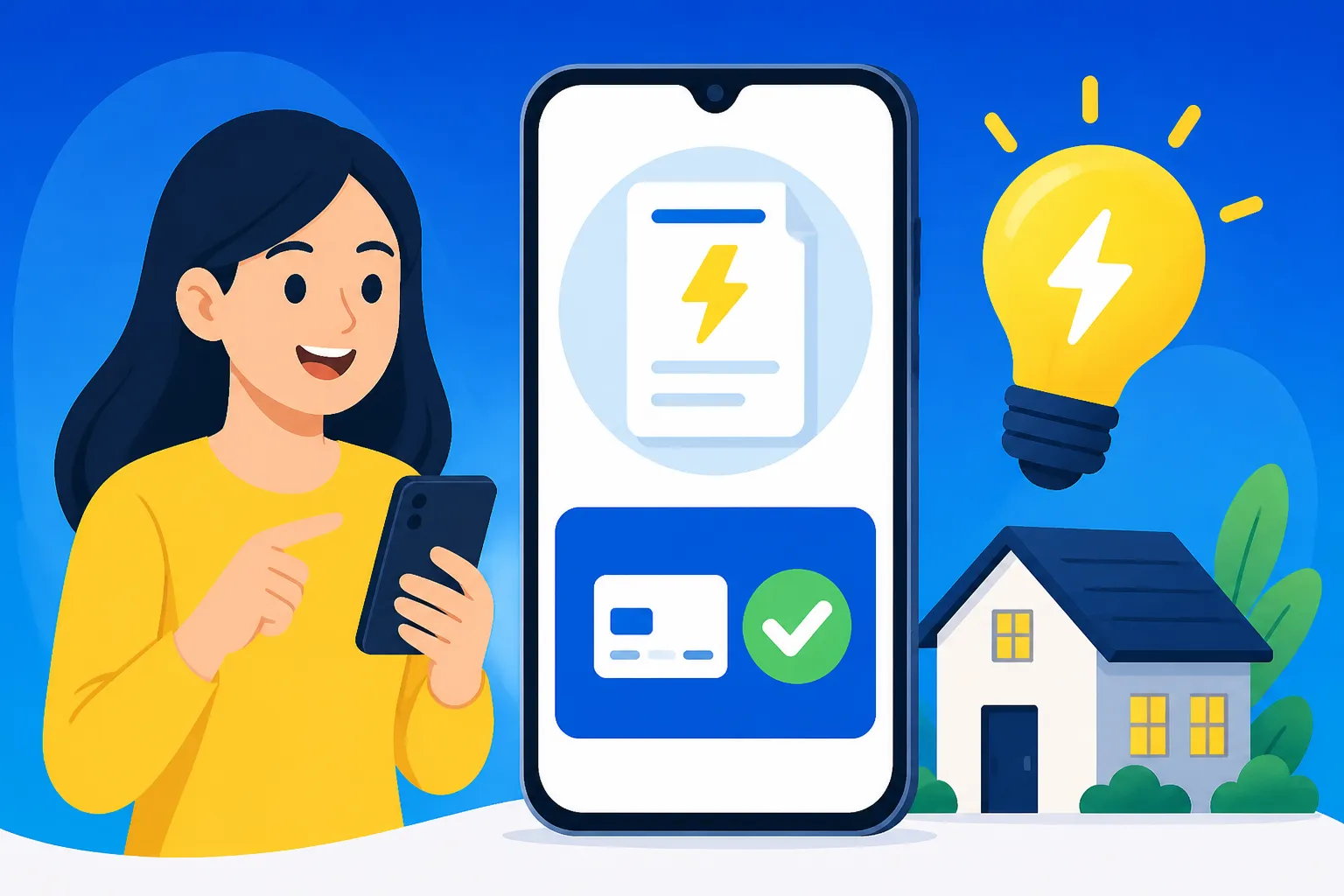
Payment via myTNB Portal or App
This is the most straightforward and recommended method. It’s designed specifically for TNB users, ensuring all details are correctly captured.
Here's how you do it:
-
Log in: Access the myTNB portal on your computer or open the myTNB app on your smartphone using your registered email and password.
-
View Bill: On the dashboard, you’ll typically see your current outstanding bill immediately. Click on it, or navigate to the "Bills" section.
-
Select Payment: You'll be presented with the option to pay your current bill. Ensure the amount is correct.
-
Choose Payment Method: TNB offers various payment options through its portal. The most common ones are:
- Credit/Debit Card: Enter your card details (card number, expiry date, CVV).
- FPX (Financial Process Exchange): This is Malaysia's secure online payment gateway that connects you directly to your local bank account. Select your bank from the list (e.g., Maybank2u, CIMB Clicks, Public Bank, Hong Leong Connect), and you'll be redirected to your bank's online banking login page to complete the transaction.
- e-Wallets: Some e-wallets might be integrated.
-
Confirm and Complete: Review all details before confirming. Once the payment is successful, you’ll receive a transaction reference number, and TNB will usually send a payment confirmation email. It’s a good idea to keep a screenshot or print-out of this confirmation.
The myTNB app offers an even more streamlined experience, with features like fingerprint or face ID login, making payments even quicker on the go. Having a reliable phone connection, perhaps with an eSIM from Airalo, certainly helps when you're making these quick payments on the move!
Alternative Payment Methods
While the myTNB portal is excellent, sometimes you might prefer using your existing online banking platform or e-wallet for various reasons (e.g., cashback offers, convenience).
-
Online Banking (FPX directly from your bank): Most Malaysian banks integrate FPX directly into their online banking portals.
- Log in to your preferred online banking platform (e.g., Maybank2u, CIMB Clicks, Public Bank Online).
- Look for a "Bill Payment" or "Pay Bills" section.
- Search for "Tenaga Nasional Berhad" (TNB) as the biller.
- Enter your TNB Account Number and the amount you wish to pay.
- Confirm the transaction using your bank’s security protocols (e.g., TAC code, mobile app verification).
This is often how I pay my bills, as it keeps all my banking in Malaysia: a complete guide for foreigners (2027) consolidated.
-
e-Wallets (Touch 'n Go eWallet, GrabPay, Boost, etc.): Many popular e-wallets in Malaysia have integrated utility bill payment features.
- Open your chosen e-wallet app.
- Navigate to the "Bills" or "Utilities" section.
- Select "TNB" or "Electricity".
- Enter your TNB Account Number and the payment amount.
- Confirm the payment using your e-wallet PIN or biometric authentication.
Do note that sometimes e-wallet payments might take a little longer to reflect on your TNB account compared to direct FPX or myTNB payments, so pay a few days before the due date if using this method.
-
JomPAY: This is a national bill payment scheme that allows you to pay bills from any participating bank’s internet banking, mobile banking, or ATMs.
- Look for the JomPAY logo on your TNB bill. It will display a Biller Code (for TNB, this is usually 5454) and a Ref-1 number (which is your TNB account number).
- Log in to your bank's online or mobile banking.
- Select "JomPAY" as the payment method.
- Enter the TNB Biller Code (5454) and your TNB Account Number as Ref-1. Leave Ref-2 blank unless specified.
- Enter the payment amount and confirm.
Each method has its pros and cons, but all are generally reliable. Here’s a quick overview:
| Payment Method | Pros | Cons | Ideal For |
|---|---|---|---|
| myTNB Portal/App | Direct integration, full account management, usage tracking. | Requires separate login, may not offer cashback. | Comprehensive account management and direct payment. |
| Online Banking | Secure, familiar interface, often integrated with personal finances. | Less direct TNB account insight, can be clunky to navigate to biller. | Expats who prefer managing all finances through their bank. |
| e-Wallets | Convenient, potential for rewards/cashback, quick mobile payment. | Sometimes slower to reflect, might have daily limits. | Quick, small payments, leveraging e-wallet benefits. |
| JomPAY | Universally available across Malaysian banks, simple to use. | Less interactive, requires manual input of Biller Code. | Anyone comfortable with standard bank bill payment interfaces. |
Setting Up Auto-Debit for Hassle-Free Payments
If you’re anything like me, busy expat life can sometimes make you forget things, and a missed utility bill is never a fun surprise. This is where auto-debit comes in. It’s an absolute lifesaver for ensuring your TNB bill is paid on time, every time, without you having to lift a finger.
You can usually set up auto-debit directly through the myTNB portal or app using a credit card, or sometimes through your bank for direct debit from your bank account.
-
Via myTNB Portal/App:
- Log in to your myTNB account.
- Look for a "Payment Settings," "Auto-Debit," or "Manage Payment" section.
- Select the option to add an auto-debit facility.
- You will typically need to provide your credit card details (Visa/Mastercard) and authorise TNB to automatically charge your card each month.
- Read the terms and conditions carefully, especially regarding notification periods before debit and how to cancel the service.
-
Via Your Bank: Some banks offer direct auto-debit setup for utility bills.
- Log in to your online banking portal.
- Look for "Auto-Debit" or "Standing Instructions."
- You might need to fill out a form (sometimes online, sometimes physically) to set up a direct debit to TNB. You'll need your TNB Account Number.
Benefits:
- No More Missed Payments: Your bill is automatically settled on or before the due date. This means no late payment charges and no risk of disconnection.
- Peace of Mind: One less thing to worry about in your busy expat life.
- Convenience: Set it up once and forget about it.
Potential Pitfalls to Watch Out For:
- Insufficient Funds/Credit Limit: Ensure your bank account has sufficient funds or your credit card has enough limit to cover the bill. A failed auto-debit can still incur late fees.
- Card Expiry: If using a credit card, remember to update your card details in the myTNB portal before your card expires.
- Monitoring Still Recommended: While auto-debit is great, it’s still wise to glance at your bill each month (which you’ll receive digitally) to ensure consumption is as expected and there are no unusual charges.
For new arrivals, figuring out how to open a bank account at a Malaysian bank as a foreigner is one of the first hurdles, and setting up auto-debit for bills like TNB should follow soon after.
Common Challenges and Troubleshooting for Expats
Even with the best intentions and meticulous planning, sometimes things go awry. As an expat, understanding how to troubleshoot common payment issues and where to seek help can save you a lot of stress.
Navigating Payment Delays and Penalties
Life happens. Maybe you forgot the due date, or perhaps a payment didn’t go through as expected. TNB is generally quite efficient, but they also have clear policies regarding late payments and disconnections.
- Late Payment Charges: If you miss the due date, TNB will add a late payment penalty to your next bill. This charge is usually a percentage of the outstanding amount. While not exorbitant, it’s an unnecessary expense.
- Disconnection Notice: After a certain period of non-payment (usually a few weeks past the due date), TNB will issue a disconnection notice. This notice will state a final date by which payment must be made to avoid service interruption. Take this very seriously.
- Reconnection: If your electricity is disconnected, you’ll need to pay all outstanding bills, plus a reconnection fee and sometimes an additional deposit. The reconnection process typically takes 1-3 working days after payment, which means a few days without power in Malaysia’s climate – definitely something you want to avoid!
If you know you’re going to be late, it’s always best to contact TNB customer service before the disconnection notice arrives to see if any arrangements can be made, though this is rare for standard residential accounts.
Understanding Payment Gateway Issues and Transaction Errors
Sometimes the problem isn’t your forgetfulness, but a technical hiccup. Payment gateway errors, though infrequent, can be frustrating.
- Common Error Messages: These can range from "Transaction Failed" to "Bank System Offline" or "Invalid Details."
- Troubleshooting Steps:
- Check Your Internet Connection: A unstable connection can interrupt the payment process.
- Verify Input Details: Double-check your TNB Account Number, card details, and payment amount for any typos.
- Try Again Later: If the error suggests a bank system issue, wait a while and try again. Sometimes these are temporary outages.
- Use an Alternative Method: If your credit card payment fails, try FPX through your bank. If the myTNB portal is acting up, try paying directly through your bank's online platform using JomPAY.
- Check Your Bank Account/Card Statement: See if the transaction was debited. Sometimes a payment can go through, but the confirmation message is delayed or not received. If debited but TNB doesn't show payment, keep proof of transaction.
If a payment fails repeatedly or you suspect a transaction has gone through but isn't reflected, gather your transaction details (time, date, reference number) and prepare to contact TNB or your bank.
Getting Help from TNB Customer Service
When all else fails, it’s time to reach out to the pros. TNB has a reasonably good customer service system, and it’s important to know how to use it effectively.
- Customer Service Hotline: Dial 1-300-88-5454. They operate during business hours and often have English-speaking representatives. Be prepared for a wait, especially during peak times.
- myTNB Portal/App Feedback: There’s usually a "Contact Us" or "Feedback" section within the online portal and app where you can submit inquiries or issues. This is good for non-urgent matters.
- Social Media: TNB has an active presence on platforms like Facebook. While not official customer service channels for complex issues, sometimes a quick query there can get you pointed in the right direction.
- Visit a Kedai Tenaga (TNB Customer Service Centre): For complex issues, disputes, or if you prefer face-to-face interaction, visiting a physical TNB office is an option. Use TNB’s website to find your nearest centre. This might be a necessary step if you’re trying to transfer your medical records to a new clinic in Malaysia, for instance, and require certain documents related to your residency.
When contacting them, always have your TNB Account Number ready, along with any relevant transaction details (date, time, amount, reference number, screenshots of error messages). Being polite and clear about your issue will always help in getting a quicker and more effective resolution.
Beyond Bill Payment: Managing Your Electricity Usage
Paying the bill is one thing, but as a seasoned expat, you quickly learn that managing your consumption is just as important. Electricity isn’t free (nor cheap if you blast the AC 24/7!), and being mindful can make a big difference to your monthly expenses.
Monitoring Consumption and Saving Energy
The myTNB portal isn’t just for payments; it’s a powerful tool for monitoring and understanding your electricity usage.
- Usage Graphs: Within your myTNB account, you can typically find detailed graphs showing your monthly or even daily consumption patterns. This visual representation can be incredibly insightful. You might notice spikes during certain periods or realise that your air conditioning usage is far higher than you estimated.
- Historical Data: Accessing past bills and usage data allows you to track trends. If your bill suddenly jumps, you can compare it to previous months to identify if there was a genuine increase in usage or a potential issue (e.g., faulty appliance, incorrect meter reading).
- Energy Saving Tips: TNB, like utility providers globally, often provides tips on how to reduce electricity consumption. Simple habits like switching off lights and fans when leaving a room, using energy-efficient appliances, and regularly cleaning air conditioner filters can significantly lower your bill. Adjusting your thermostat by even one degree can impact your energy consumption. In Malaysia’s heat, it’s tempting to crank the AC, but finding a comfortable balance can save you quite a bit!
Being proactive about your electricity use not only saves you money but also contributes to a more sustainable lifestyle, something many expats strive for when considering the cost of living in Kuala Lumpur per month.
Moving In or Out: Transferring or Terminating Your TNB Account
Moving house in Malaysia, whether it’s to a different part of the city or out of the country, involves managing your utilities correctly. Don't just leave your TNB account hanging; it could lead to complications later.
-
Moving In: When you first move into a new property, you'll need to apply for a new TNB account or transfer the existing account into your name. This typically involves:
- Visiting a Kedai Tenaga (TNB Customer Service Centre).
- Bringing your tenancy agreement (or sales & purchase agreement if you bought the property), identity card (passport and visa for expats), and a deposit payment. The deposit amount depends on the size of the property and its estimated consumption.
- TNB will then process the application, which usually involves a final meter reading and account activation.
This is one of the crucial steps when moving to Malaysia: your first 90 days (2026).
-
Moving Out / Terminating Account: If you're vacating a property permanently, you must terminate your TNB account. This involves:
- Notifying TNB in advance (usually at least 7-14 days).
- Providing your final moving date. TNB will arrange for a final meter reading on that day.
- Your final bill will be generated, and any outstanding balance needs to be paid. Crucially, your initial deposit will be refunded after all final charges are settled. This refund can take a few weeks to process.
Ensuring this is handled correctly is as important as getting your security deposit back when renting an apartment in Malaysia.
Failing to properly terminate an account can result in you being liable for subsequent electricity usage at that address, so don't skip this step! It’s all part of the big picture of understanding how to move to Malaysia legally from abroad (2027).
Disclaimer
The information provided in this guide is for general informational purposes only and is subject to change. While we strive to keep the content up-to-date, specific procedures, fees, and regulations regarding TNB electricity bills in Malaysia may be updated by the relevant authorities. It is always recommended to consult the official Tenaga Nasional Berhad (TNB) website, their customer service, or professional advisors for the most current and accurate information tailored to your individual circumstances.