How Do I Set Up Online Banking in Malaysia?
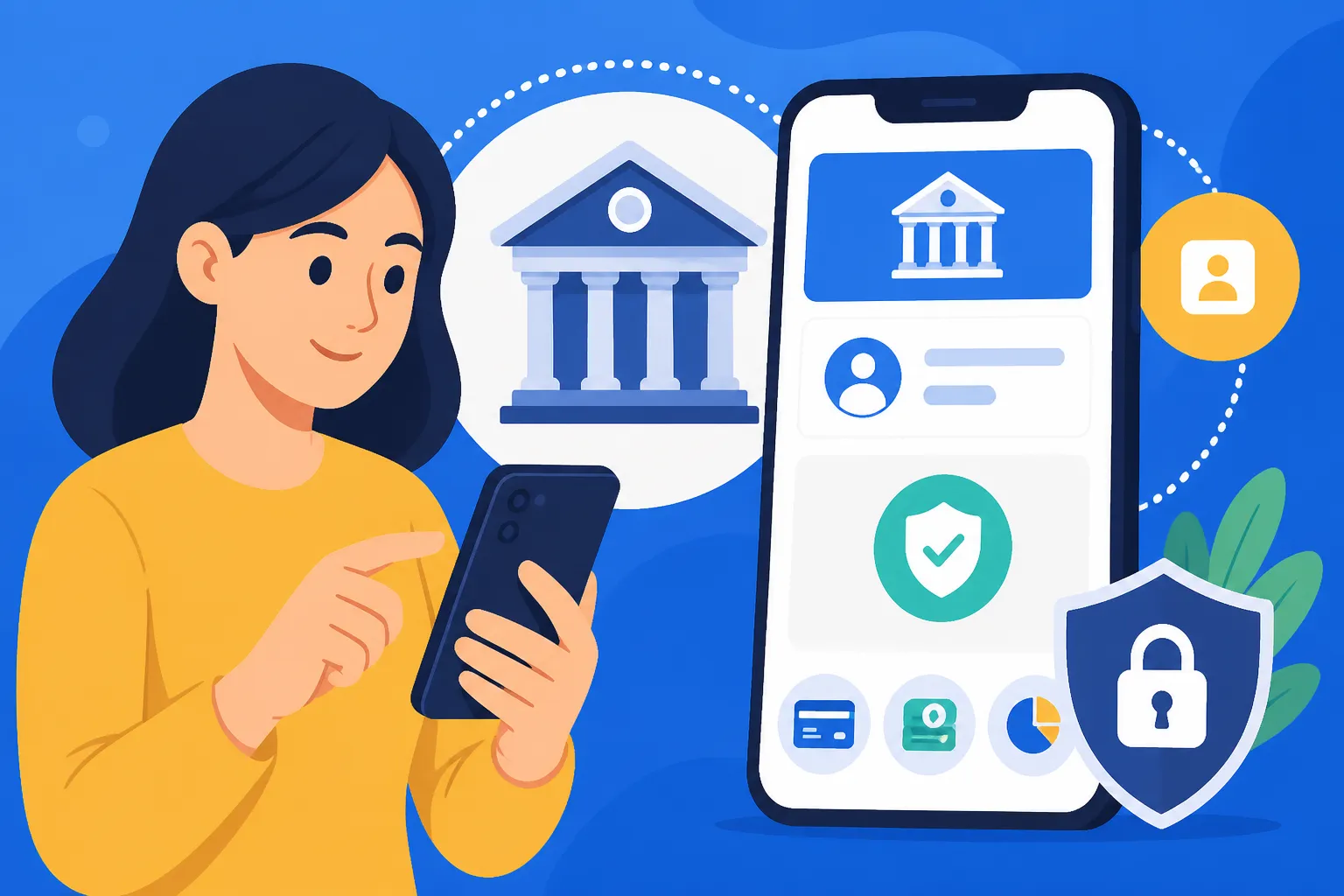
Ah, the Malaysian banking system! It's one of those things that can feel like a labyrinth when you first arrive. Getting your head around everything, from opening an account to actually using it in a way that feels familiar, can be a real headache. But let's be honest, in this day and age, online banking isn't just a convenience; it's a necessity, especially when you're an expat managing finances in a new country. This guide is going to walk you through the ins and outs of setting up and effectively using online banking in Malaysia, making your financial life here just a little bit smoother.
Why Online Banking is Essential for Expats in Malaysia
When you’re an expat, your finances aren't just about your daily coffee runs or paying rent; they often involve juggling international transfers, understanding local payment methods, and keeping a close eye on your spending across different currencies. Online banking isn't just a perk here; it's the backbone of financial sanity.
Convenience and Accessibility
Remember those days back home when popping into the bank was a casual affair, or perhaps you barely visited a branch at all? In Malaysia, while many banks still value a personal touch, the reality of Klang Valley traffic or the distance to your nearest branch in a smaller town can make in-person transactions a real chore. Online banking liberates you from these geographical constraints.
Imagine needing to check a transaction, pay a bill, or transfer funds to a friend while you're relaxing on a beach in Langkawi or stuck in a meeting in Cyberjaya. With online banking, your financial world is literally at your fingertips, accessible via your smartphone or laptop. This is particularly vital for expats who might be used to highly digital-first banking experiences in their home countries. The ease of managing your money from anywhere, at any time, becomes invaluable. It means no more rushing to beat bank closing hours or taking precious time off work for simple tasks.
Bill Payments and Transfers
One of the biggest hurdles for any newcomer is figuring out how to pay local bills. Utilities, rent, phone bills – they all need to be settled, often by specific dates. Malaysian online banking systems are incredibly robust when it comes to this. You'll find options like JomPAY integrated directly into most major bank portals, allowing you to pay almost any bill just by entering a Biller Code and reference number. It sounds complicated at first, but once you do it a couple of times, it becomes second nature.
Beyond bills, transferring money within Malaysia or even sending funds back home is a frequent requirement for expats. While traditional bank wire transfers can sometimes feel a bit archaic and carry hefty fees, online banking platforms streamline local interbank transfers. For international transfers, while your Malaysian bank account can facilitate them, many expats opt for specialist services like Wise, which are often more transparent with exchange rates and fees. Integrating these services with your online banking access makes managing your global finances so much easier. You can fund your Wise account directly from your Malaysian bank account online, saving you multiple steps.
Security Features and Monitoring
Let's be real, the digital world comes with its own set of anxieties, especially when it involves your money. Malaysian banks have invested heavily in security features for their online platforms. You’ll encounter multi-factor authentication, usually involving SMS TAC (Transaction Authorisation Code) or SecureTAC (a unique code generated by your bank's mobile app). These layers of security are designed to protect your account from unauthorised access.
Beyond protection, online banking offers a powerful tool for financial monitoring. You can instantly view your transaction history, check account balances, and track your spending patterns. This proactive approach is crucial for spotting any suspicious activity early on, managing your budget effectively, and keeping tabs on various deductions, including your salary and contributions to things like EPF. For instance, being able to quickly pull up your bank statements can be incredibly helpful when it comes to understanding your Understanding the Monthly Tax Deduction (PCB) System in Malaysia or preparing documents for Filing Your Annual Tax Return with LHDN in Malaysia: The Complete Walkthrough (2027).
Pre-Requisites: What You Need Before You Start
Before you can even think about logging into an online banking portal, there are a few foundational steps you absolutely need to have covered. Trust me, skipping these will just lead to frustration and wasted trips to the bank.
Having a Malaysian Bank Account
This might sound obvious, but you can't have online banking without a bank account! For many expats, the journey to opening a bank account in Malaysia can be surprisingly bureaucratic. Different banks have varying requirements, and your visa type often plays a significant role. Generally, you'll need an Employment Pass, MM2H visa, or a student visa. Tourist visas usually won't cut it for a full-fledged current or savings account.
Before you can even begin thinking about online banking, you first need to tackle the challenge of securing a local bank account. You can find more comprehensive advice on this in our guide: The Expat Guide to Opening a Bank Account in Malaysia. Banks like Maybank, CIMB, Public Bank, and Hong Leong Bank are popular choices among expats due to their extensive branch networks and English-speaking staff. It’s worth checking which bank offers the best services for your specific needs, as covered in our article on How to Choose the Best Bank for Expats in Malaysia.
Necessary Documentation
Once you have your bank account, the online banking setup still requires some paperwork, or at least a reference to the documents used to open your account. When you head to the bank to set up your account and initiate online banking, make sure you bring:
- Your original passport: This is your primary identification.
- Your valid Malaysian visa/permit: Whether it's an Employment Pass, MM2H, or Dependant Pass, this proves your legal residency.
- Proof of address: A utility bill (like a TNB electricity bill – you'll need to know How to Set Up Electricity (TNB) in Your Malaysian Home), tenancy agreement, or an employer letter stating your residential address will usually suffice.
- Employer's letter (for Employment Pass holders): Sometimes required to verify your employment status and salary.
- Initial deposit: Banks usually require a minimum deposit to open an account.
It’s always a good idea to call your chosen bank beforehand or check their official website for the most current list of requirements. You can also refer to our guide on What Documents Do I Need to Open a Bank Account in Malaysia? for a general overview.
Phone Number and Email
In Malaysia, your local mobile phone number and a valid email address are absolutely non-negotiable for online banking. These are your primary channels for receiving:
- SMS TAC: A six-digit code sent to your registered mobile number for authenticating transactions.
- SecureTAC notifications: If you use the bank's mobile app for SecureTAC, your phone number is linked to that.
- Transaction alerts: Banks often send SMS or email alerts for significant transactions or suspicious activity.
- Password reset links and other account notifications.
Ensure your phone number is an active Malaysian one and that your email address is one you check regularly. If you change your phone number or email, notify your bank immediately to avoid getting locked out of your online banking. This is a common hiccup for expats who might not update their details promptly.
Step-by-Step Guide to Setting Up Online Banking
Alright, you've got your bank account, your documents are in order, and your local phone is ready. Now for the actual setup! This process can vary slightly between banks, but generally follows a similar pattern.
In-Branch Activation (Often Required)
Unlike some Western countries where you can often set up online banking entirely remotely, many Malaysian banks, especially for initial registration, still prefer or require you to visit a branch. This might feel a bit old-school, but it's for security purposes.
Here's what usually happens:
- Visit your bank branch: Go to the branch where you opened your account, or any branch of your bank if they allow it.
- Inform the staff: Tell a customer service representative or the counter staff that you want to activate online banking.
- Verification: They will verify your identity using your passport and account details.
- Initial setup: The staff will often guide you through the initial steps on a computer terminal or provide you with a temporary username and password, along with instructions on how to complete the registration online from home. Sometimes, they might even help you register for their mobile banking app and activate SecureTAC.
- SecureTAC / Token Device: Depending on the bank, you might be required to register for SecureTAC through their mobile app, or in older systems, you might be issued a physical token device (though these are becoming less common). SecureTAC generated via the mobile app is now the standard for major banks like Maybank and CIMB.
Don't be shy to ask questions during this process. Make sure you understand how to generate your TAC, what your temporary login details are, and what the next steps are once you leave the branch.
Online Registration Process
Once you have your initial login credentials (or have been instructed to register online), you can proceed from your own computer or smartphone:
- Access the bank's official website: Always double-check the URL to ensure you're on the legitimate bank website to avoid phishing scams. For example, for Maybank, it's Maybank2u.com.my, and for CIMB, it's CIMB Clicks.
- Locate the "Register" or "First Time Login" option: This is usually prominent on the login page.
- Enter your details: You'll typically be asked for your IC number (for Malaysians) or passport number (for foreigners), your bank account number, and the temporary login details or a self-chosen username.
- Create your permanent username and password: Choose strong, unique credentials. Most banks will have specific requirements for password complexity (mix of upper/lower case, numbers, special characters).
- Set up security questions: These are crucial for password recovery in case you forget it. Choose questions you can easily remember the answers to, but that aren't obvious to others.
- Review and agree to terms and conditions: Read through them carefully, even if it's tedious.
- Final activation: You might receive an SMS TAC to confirm your registration. Enter this code to complete the process.
Congratulations! You should now have access to your online banking portal.
Activating Security Features (SecureTAC, SMS TAC)
Once logged in, the next critical step is to fully activate and understand your bank's security features. This is where the SMS TAC and SecureTAC come into play, which are vital for authenticating almost every transaction you make.
- SMS TAC: This is the most common form of two-factor authentication. When you initiate a transaction (e.g., transferring money, paying a bill, adding a new payee), the bank's system will send a six-digit code to your registered Malaysian mobile number. You must enter this code into the online banking platform to authorise the transaction.
- Pro Tip: Always ensure your phone has network coverage and is registered to your bank. If you change your number, update it at the bank immediately. Expats sometimes run into issues if they're using a foreign SIM or their local SIM isn't properly registered.
- SecureTAC: Many major banks, like Maybank and CIMB, have moved towards in-app SecureTAC for greater security and convenience. Instead of waiting for an SMS, you'll receive a push notification on your bank's mobile app, where you can "approve" or "reject" the transaction directly.
- Setup: You'll usually enable SecureTAC within your bank's mobile application after your initial online banking setup. It involves linking your device (your smartphone) to your bank account.
- Benefits: It's generally faster, more secure (less susceptible to SIM swap fraud), and doesn't rely on mobile network signal for SMS delivery. However, it does require an internet connection for your phone.
Make sure you understand how to use both options, as some transactions might default to one over the other, or you might choose to use SMS TAC as a fallback if your internet connection is unstable for SecureTAC.
Common Challenges and Troubleshooting for Expats
Even with a smooth setup, expats often face unique challenges with Malaysian online banking. It’s not always straightforward, and things can feel confusing when you’re used to a different system.
Language Barriers and Customer Service
While most major banks in Malaysia cater to a diverse clientele and have English-speaking staff, you might occasionally encounter situations where communication becomes a hurdle. This could be at a smaller branch, with a less experienced customer service agent, or when dealing with highly specific technical issues.
- Tip: When calling customer service, ask if they have English-speaking representatives. If you need to visit a branch, consider going to a larger branch in a city centre (like Kuala Lumpur or Penang) as they often have more internationally-exposed staff. Don't hesitate to politely ask for clarification if something isn't clear. Bring a Malaysian friend if you're really struggling.
Forgotten Passwords and Account Lockouts
It happens to the best of us – you forget your password, or you enter it incorrectly too many times, and your account gets locked. The process to reset or unlock can be a pain.
- Online Reset: Most banks allow you to reset your password online using your security questions and potentially an SMS TAC verification.
- In-Branch Reset: If the online reset fails or your account is severely locked (e.g., too many failed attempts, or if you also lost access to your registered phone), you will almost certainly need to visit a branch in person with your passport to re-verify your identity and reset your access. This is a common and often unavoidable step, so factor in travel time and potential wait times.
International Access and Geo-Restrictions
Expats often travel back home or to other countries. While Malaysian online banking is generally accessible worldwide, you might occasionally run into geo-restrictions or login issues from certain IP addresses.
- VPN Use: Some expats use VPNs, but be cautious as banks might view this as suspicious activity and temporarily lock your account for security. It's usually best to access online banking without a VPN.
- SMS TAC from Abroad: Receiving SMS TACs can sometimes be problematic when roaming or using a foreign SIM. Ensure your Malaysian number is active and capable of receiving international SMS, or rely on SecureTAC if your bank app supports it and you have data roaming/Wi-Fi.
- Time Differences: Remember time differences when performing time-sensitive transactions or expecting replies from customer service.
If you encounter issues while abroad, your best bet is usually to contact your bank's international helpline (if they have one) or wait until you're back in Malaysia to visit a branch. For international money transfers, many expats find services like Wise invaluable for sending money into and out of Malaysia, precisely because they offer reliable and transparent international transactions that circumvent some of these bank-specific hurdles. Find out more about that here: How to Transfer Money Into and Out of Malaysia as an Expat.
SMS TAC Issues
One of the most frequent complaints from expats (and even locals) is issues with receiving SMS TACs. This can stem from several factors:
- Network Congestion: Sometimes, the mobile network itself might be congested, causing delays.
- Outdated Phone Number: If you changed your local Malaysian number and didn't update it with your bank, you won't receive the TAC. This is a crucial step!
- Roaming Issues: If you're abroad and your Malaysian SIM isn't properly set up for international roaming, or if there's a problem with the foreign network, you might not receive TACs.
- Bank System Glitches: On rare occasions, the bank's system might experience temporary issues.
Troubleshooting:
- Check your signal: Ensure you have strong mobile signal.
- Wait a few minutes: Sometimes there's a slight delay.
- Resend TAC: Most platforms have an option to resend the TAC.
- Clear your phone's SMS cache: A long shot, but sometimes helps.
- Switch to SecureTAC: If available, use your bank's mobile app to generate a SecureTAC. This is often the most reliable method.
- Contact your bank: If all else fails, you'll need to contact your bank to investigate or to manually approve a transaction if possible (though this is rare for security reasons).
Making the Most of Your Malaysian Online Banking
Once you’ve successfully navigated the setup, your Malaysian online banking portal becomes a powerful financial tool. Leveraging its full capabilities will significantly simplify your life here.
Bill Payment Options
Malaysian banks offer various ways to pay your bills electronically, making it incredibly convenient.
- JomPAY: This is a national bill payment scheme integrated into almost all online banking portals. Look for the JomPAY logo on your bills (e.g., your TNB electricity, water, or internet bill) for the Biller Code and Reference Number. You simply enter these details into the JomPAY section of your online banking, specify the amount, and pay. It's usually instant and free. This is how you'll typically pay for most of your utilities, making managing your household expenses very easy.
- Direct Billers: Many banks also allow you to add specific companies (like your mobile phone provider or specific insurance companies) as direct billers, where you only need your account number with them.
- Scheduled Payments: For recurring bills like rent, you can set up standing instructions or scheduled transfers to ensure payments are made on time without you having to remember each month. This is particularly useful for expats with busy schedules.
Checking Balances and Statements
Regularly monitoring your account activity is paramount. Your online banking portal provides a comprehensive overview:
- Real-time Balances: Instantly see your current balance for all linked accounts (savings, current, credit cards).
- Transaction History: Access detailed transaction logs, often going back several years. You can usually filter by date, type of transaction, or amount. This is invaluable for budgeting and reconciling your expenses.
- E-Statements: Download monthly or annual bank statements in PDF format. These digital statements are accepted for most official purposes, such as visa renewals, loan applications, or even tax filing. For expats, having these readily available is essential when it comes to understanding your financial footprint in Malaysia and for obligations like The Complete Guide to Taxes in Malaysia for Expats (2027). Some tax platforms, like those used by services like Taxes for Expats, might even integrate with your bank if you grant permission, though generally, a downloaded PDF is sufficient.
Interbank Transfers and DuitNow
Moving money between different Malaysian bank accounts is incredibly seamless through online banking.
- IBG (Interbank GIRO): This is a low-cost method for transfers between different banks in Malaysia. Transfers are typically processed within a few hours on business days, or by the next business day if initiated after cut-off times.
- Instant Transfer (IBFT): For immediate transfers between different banks, you can opt for Instant Transfer. There might be a small fee (often RM0.50), but the money arrives in the recipient's account almost instantly, 24/7. This is fantastic for paying friends back or making urgent payments.
- DuitNow: This is a fantastic innovation that has revolutionised local payments. How to Use DuitNow and Local Payment Systems in Malaysia allows you to transfer money using just the recipient's mobile number, IC number, or even their business registration number, instead of their bank account number. It's fast, free, and incredibly convenient for person-to-person payments. You simply link your bank account to your mobile number or IC number through your online banking portal or mobile app.
Here's a quick comparison of some popular Malaysian banks and their online banking features:
| Bank Name | Key Online Banking Features for Expats | Mobile App Rating (Approx.) | Notes |
|---|---|---|---|
| Maybank (Maybank2u) | Extensive features including JomPAY, DuitNow, instant transfers, credit card management, investment tools, foreign currency accounts. Strong Secure2u (in-app TAC) for security. | 4.5/5 | Widely used, very user-friendly for daily transactions. Often the go-to for many expats. |
| CIMB (CIMB Clicks) | Similar to Maybank with JomPAY, DuitNow, bill payments, interbank transfers. Robust security features including CIMB Clicks Secure. Good for managing various accounts and investments. | 4.3/5 | Modern interface, frequently updated. Another popular choice, especially if you get your Can Foreigners Open a CIMB or Maybank Account in Malaysia? account here. |
| Public Bank (PBe) | Comprehensive online services for transfers, bill payments, and account management. While functional, the interface might feel a bit more traditional compared to Maybank or CIMB. | 4.0/5 | Known for good customer service and competitive rates. Often used by businesses. |
| Hong Leong Bank (Connect) | User-friendly app and online platform with all standard features: DuitNow, JomPAY, transfers, bill payments. Focus on digital experience and often has promotions. | 4.2/5 | Good for a modern banking experience. |
| Standard Chartered (SC Mobile) | Offers global banking benefits, good for international transfers, multi-currency accounts, and expat-focused services. Strong security. | 4.4/5 | May be preferred by expats with international ties to Standard Chartered. |
This table is a general overview, and features can evolve. Always check the bank's official website for the latest information and specific offerings.
Setting up online banking in Malaysia might seem like a maze at first, but with this guide, you should be well-equipped to navigate the process. Embrace the digital convenience, and it will make your financial journey as an expat much, much easier.
Disclaimer
The information provided in this guide is for general informational purposes only and does not constitute financial or legal advice. While we strive to keep the information up-to-date and correct, banking policies, fees, and regulations in Malaysia can change frequently. Expats are strongly advised to consult directly with their chosen bank and, if necessary, seek professional financial or legal counsel for advice tailored to their individual circumstances.