How Do I Set Up Recurring Bill Payments in Malaysia?
One of the silent stressors of moving to Malaysia is the sheer volume of new administrative tasks, and trust me, managing a whole new set of bills in a new currency, with different providers, can feel like a full-time job. It’s easy to miss a payment, incur late fees, or just generally feel overwhelmed by the constant mental checklist. This comprehensive guide is here to walk you through exactly how to set up recurring bill payments in Malaysia, saving you time, money, and a whole lot of unnecessary headaches.
Understanding the Malaysian Bill Payment Landscape
When you first arrive, it’s a whirlwind, isn’t it? You’re trying to find your feet, navigate the language, figure out the public transport system, and suddenly, a stack of unfamiliar bills starts piling up. It’s a rite of passage for every expat, but it doesn't have to be a recurring nightmare.
The Initial Juggling Act
Before you even think about setting up automatic payments, there's that initial phase where you're manually tackling everything. You've just rented your apartment, maybe moved some of your belongings with an international mover like Sirelo, and now you have Tenaga Nasional Berhad (TNB) for electricity, Syarikat Bekalan Air Selangor (SYABAS) for water if you're in Klang Valley, and Telekom Malaysia (TM) or another provider for your internet. Then there's your mobile phone bill, perhaps a credit card statement, and of course, your monthly rent. Each one has a different due date, a unique account number, and often, a separate payment portal or method.
It’s an overwhelming feeling, trying to keep track of it all. You might be accustomed to one consolidated payment system back home, but here in Malaysia, it's often a bit more fragmented. The anxiety of forgetting a payment, especially with utility disconnections or hefty late fees looming, is very real. I’ve been there, staring at a stack of envelopes, wondering if I've paid the right amount to the right company. It's a logistical puzzle that no one prepares you for, and it eats into your precious expat time.
Why Recurring Payments are a Lifesaver
So, why go through the hassle of setting up recurring payments when a quick online transfer seems simple enough? Because peace of mind is invaluable. Automating your bills means you drastically reduce the chances of forgetting a payment, which in turn means:
- No more late fees: These can quickly add up and are just money down the drain.
- Maintaining a good payment history: While Malaysia's credit system might be different from your home country, reliable payments always look good, especially if you ever need a loan or another financial product here.
- Saving precious time: Think about all those minutes you spend logging into different portals, keying in details, and confirming transactions. Automating frees you up to enjoy Malaysia, whether it's exploring hidden food gems or simply relaxing at home.
- Avoiding service interruptions: No one wants their electricity cut off because of an oversight! Recurring payments ensure your essential services remain uninterrupted.
It's about taking control of your finances and streamlining your life so you can focus on the joys of expat living, not the administrative burden.
Methods for Setting Up Recurring Payments
Alright, let's get down to the nitty-gritty. Malaysia offers several ways to automate your bill payments, and understanding each option will help you choose the best fit for your various expenses.
Bank-Facilitated Auto-Debits and Standing Instructions
This is often the most reliable method for fixed or predictable bills. Malaysian banks provide two main services: Direct Debit and Standing Instruction.
- Direct Debit: This is usually set up with the biller (e.g., TNB, your insurance company) who then requests permission from your bank to deduct funds directly from your account on a specific date. You typically sign a form with the biller, authorising them to do this. It’s super convenient for utilities, insurance premiums, and loan repayments where the amount might vary slightly but you want a hands-off approach.
- How to Set Up: For utility companies like TNB or Syarikat Bekalan Air (water suppliers), you can often find the direct debit application forms on their websites or at their customer service centres. You'll fill in your bank details, customer account number, and sign the authorisation. Once submitted, it usually takes a few weeks to activate.
- Required Documents: Typically, you'll need your Malaysian bank account details, your biller's account/customer ID, and sometimes a copy of your IC/passport (for identity verification).
- Standing Instruction (SI): This is set up directly with your bank. You instruct your bank to pay a fixed amount to a specific recipient on a recurring basis (e.g., monthly, quarterly). This is perfect for your rent, which is usually a consistent amount each month.
- How to Set Up: Log into your bank's online banking portal (Maybank2u, CIMB Clicks, PBe, HLB Connect, etc.), navigate to the 'Fund Transfer' or 'Payments' section, and look for 'Standing Instruction' or 'Scheduled Transfer'. You'll need the recipient's bank account number, the amount, the frequency, and the start date. You can also visit your bank branch to set this up, though online is much faster.
- Required Documents: Your bank account number, the recipient's bank account number, and the fixed amount.
Banks like Maybank, CIMB, and Public Bank are popular choices among expats and offer robust online banking platforms. Setting up direct debits or standing instructions through your bank provides a solid foundation for automating your core expenses. Remember, when you first arrive and need to How to Open a Bank Account at a Malaysian Bank as a Foreigner, ensure you inquire about these services from the start.
Online Portals and Apps of Service Providers
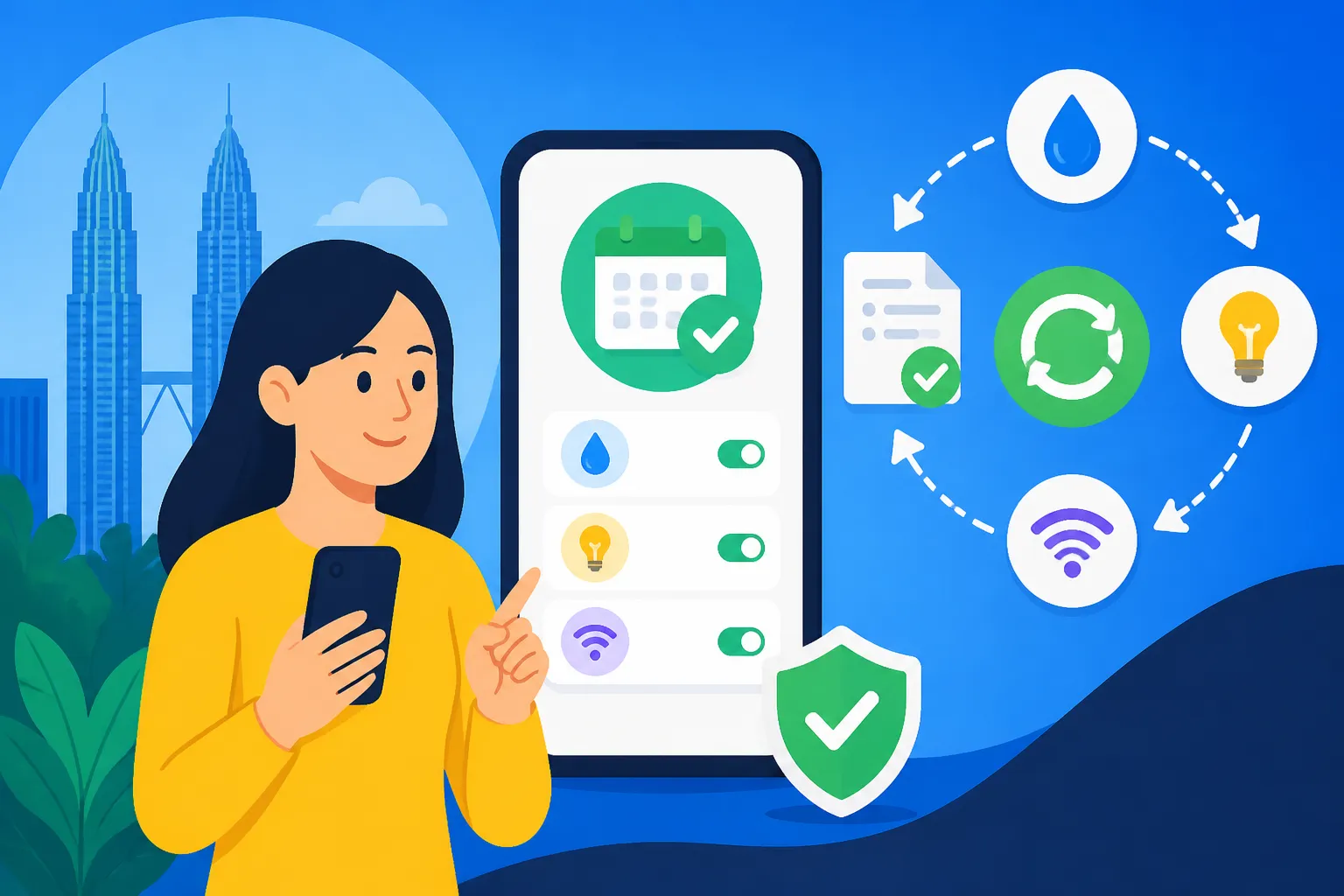
Many Malaysian service providers have embraced digital platforms, offering their own dedicated websites and mobile apps where you can manage your account and set up recurring payments. This method gives you direct control and visibility over each service.
- Electricity (TNB): Tenaga Nasional Berhad has a user-friendly website and the myTNB app. You can register your account, view your monthly statements, and set up auto-billing using your credit or debit card. It's incredibly convenient, and you'll get email notifications when your bill is ready and when payment is processed. You can learn more about How to Set Up Electricity (TNB) in Your Malaysian Home in a dedicated guide.
- Water (e.g., SYABAS, SAJ, PBA): Depending on your state, your water provider will have its own portal. For example, SYABAS (now Air Selangor) allows online account management and payment. While direct auto-debit might be less common than for electricity, many accept credit card auto-billing via their portals.
- Internet (e.g., Unifi, Maxis Fibre, CelcomDigi Fibre): These providers almost universally offer auto-billing. Once you’ve signed up for a plan, you can link your credit or debit card to your account through their respective portals (e.g., Unifi portal, Maxis app, CelcomDigi app). This ensures your internet stays connected without manual intervention. It's part of the broader process of How to Set Up Water, Gas and Internet in Malaysia.
- Mobile Phone (Maxis, Celcom, Digi, U Mobile): If you're on a postpaid plan, setting up recurring credit card payments is standard. You can do this when you first register for your plan or later through your provider's online account management. After all, getting a local SIM and moving past temporary options like an Airalo eSIM is usually one of the first things you do!
- Astro (Satellite TV): Similarly, Astro offers auto-debit options for your subscription fees through their website or via a form you submit to them.
The upside of using provider portals is that you manage each service directly, making it easy to see detailed billing, track usage, and make adjustments. The downside? It means juggling multiple logins and potentially different payment dates.
Third-Party Payment Platforms
Malaysia also has a robust ecosystem of third-party payment platforms that can help consolidate some of your bill payments.
- JomPAY: This is a national bill payment system operated by PayNet, supported by most banks in Malaysia. It allows you to pay various bills through your online banking portal or mobile banking app. Each biller (like TNB, water companies, local councils, or insurance providers) is assigned a unique 'Biller Code'. You'll also need a 'Reference 1' number (usually your account number with the biller) and sometimes a 'Reference 2' (like your phone number or IC).
- How to Set Up Recurring Payments with JomPAY: While JomPAY is primarily for one-off payments, some banks allow you to set up recurring payments using JomPAY details within their scheduled payment options. You'd go into your bank's online portal, select JomPAY, enter the Biller Code and Reference numbers, and then choose 'Recurring' or 'Scheduled Payment' instead of a one-time payment. This is incredibly useful for bills that don't offer direct auto-debit but you still want to automate.
- E-wallets (Boost, GrabPay, Touch 'n Go eWallet): While primarily used for retail payments, some e-wallets have expanded to include bill payment features. You might be able to pay certain utility bills or mobile top-ups directly from your e-wallet balance or linked credit card. However, recurring payment options through e-wallets are less common for major utilities compared to direct bank options. They are more useful for smaller, ad-hoc payments.
When considering all these options, a good approach is to integrate a mix. Use bank auto-debits for fixed bills like rent or loans, provider portals for utilities and internet, and JomPAY if a biller doesn't offer direct auto-debit but you still want to schedule it through your bank.
Step-by-Step Guide to Automating Your Bills
Let’s streamline this process into actionable steps. Getting organised upfront will make the automation process much smoother.
Step 1: Gather Your Bills and Information
Before you do anything else, you need a clear picture of all your recurring expenses. This might sound obvious, but it’s easy to overlook a small subscription or an annual payment.
- List every single recurring bill:
- Rent: Monthly or quarterly.
- Electricity (TNB): Monthly.
- Water (e.g., Air Selangor/SYABAS): Monthly.
- Internet (Unifi, Maxis Fibre, CelcomDigi Fibre): Monthly.
- Mobile Phone (Postpaid): Monthly.
- Credit Card Statements: Monthly (though the amount varies).
- Insurance Premiums (Health, Car, Home): Monthly, quarterly, or annually. Don't forget to understand Health Insurance in Malaysia: Local, International and Employer Options Explained.
- Loan Repayments (Car loan, personal loan, home loan): Monthly. If you're pondering a property purchase, then How to Get a Home Loan (Mortgage) as a Foreigner in Malaysia will be a good read.
- Maintenance Fees/Sinking Fund for Condo: Monthly or quarterly.
- Streaming Services/Subscriptions (Netflix, Spotify, gym membership, Astro): Monthly.
- School Fees: Monthly or termly.
- Collect essential details for each bill:
- Account Number/Customer ID: Crucial for identifying your account with the biller.
- Biller Code and Reference 1/2 (for JomPAY): If you plan to use JomPAY.
- Payment Due Date: Note the exact day each month/quarter.
- Average Amount: For variable bills, have an idea of the typical amount. For fixed bills, note the exact amount.
- Preferred Payment Method for each: As you gather, start thinking about which automation method would be best suited.
Create a simple spreadsheet or a physical folder. Trust me, having everything in one place saves a lot of frantic searching later on.
Step 2: Choose Your Automation Method Wisely
Now that you have all the information, it's time to decide how to automate each bill. This isn't a one-size-fits-all situation.
- Fixed Amount, Consistent Recipient (e.g., Rent, Loans):
- Best Method: Bank Standing Instruction. This gives you direct control from your bank. You set the exact amount and date.
- Example: For your monthly rent, you'd set up a standing instruction from your Maybank account to your landlord's CIMB account for RM2,500 on the 25th of each month. Remember to review your How to Sign a Tenancy Agreement in Malaysia for exact dates and terms.
- Variable Amount, Specific Biller (e.g., Utilities, Credit Card):
- Best Method: Biller's Direct Debit (if available) or Auto-billing via credit/debit card on the provider's portal. This allows the biller to deduct the correct, varying amount.
- Example: For TNB electricity, set up auto-billing on the myTNB app, linking your credit card. For your Maxis mobile bill, do the same on their app.
- Biller that Supports JomPAY but Not Direct Auto-Debit:
- Best Method: Use JomPAY with a scheduled recurring payment within your bank's online banking.
- Example: Some local council assessment taxes or annual insurance might fall into this category. Find their JomPAY Biller Code and set up a monthly/annual scheduled JomPAY payment from your bank.
Considerations for Choosing:
- Security: Ensure you're using official portals and trusted banking platforms.
- Flexibility: How easy is it to change details (e.g., if your rent increases, or you switch internet plans)? Bank Standing Instructions are generally easier to modify than cancelling and re-applying for a direct debit with a utility company.
- Convenience: For most expats, a mix of bank-controlled SIs and provider-controlled auto-billing tends to be the most practical.
Step 3: Implement and Monitor
Once you've decided on the method for each bill, it's time to put it into action.
- Set them up:
- Log into your online banking or specific provider apps and follow the steps you outlined.
- If forms need to be submitted (e.g., for a new direct debit with TNB at their physical office), get them done.
- Double-check everything:
- Account numbers, amounts, dates, recipient names – meticulously verify every detail. A single digit error can lead to a world of trouble.
- Keep records:
- Save screenshots of confirmation pages, email receipts, or copies of submitted forms. This is your proof if any issues arise.
- Monitor the first few payments:
- For the first two to three months after setting up an automated payment, keep a close eye on your bank statements. Confirm that the correct amount was debited on the correct date.
- Set a calendar reminder for the due dates initially, just in case.
- What if a payment fails?
- If a direct debit fails (e.g., insufficient funds), you'll usually be notified by your bank or the biller. Act immediately to make a manual payment and investigate why it failed. Don't let it slide, as repeat failures can lead to service termination.
Remember, the goal is automation, but that doesn't mean setting it and forgetting it forever. Regular, quick checks of your bank statements are good practice to catch any anomalies.
Common Challenges and Troubleshooting for Expats
Even with the best planning, life in Malaysia can throw a curveball or two. It's important to be prepared for potential hiccups.
Navigating Bank Processes
"It's Malaysia lah!" is a phrase you'll hear often, and it sometimes applies to administrative processes. While major banks are generally efficient, occasionally things might take longer than you expect, or you might encounter a staff member who is less familiar with expat-specific requests.
- Language Barriers: Most bank staff, especially in urban areas, speak excellent English. However, if you're in a more rural branch, you might encounter some communication challenges. Don't hesitate to ask for someone who speaks English.
- Foreigner Requirements: Sometimes, opening accounts or setting up certain services might require additional documentation as a foreigner (e.g., your employment pass, passport, utility bill as proof of address). Always have these handy. If you’re still working through your banking setup, our guide on Banking in Malaysia: A Complete Guide for Foreigners (2027) could be a lifesaver.
- Patience is Key: If something isn't working as quickly as you'd like, a polite follow-up is often more effective than frustration. Keep a record of who you spoke to and when.
When Payments Go Wrong
Even the most carefully set-up systems can have glitches. Knowing what to do can save you a lot of stress.
- Late Fees: If you miss a payment and incur a late fee, contact the biller immediately. Sometimes, if it’s your first time or an honest mistake, they might waive it, especially if you set up recurring payments promptly afterwards. For utilities, the fees aren't usually exorbitant but can accumulate.
- Failed Debits:
- Insufficient Funds: The most common reason. Ensure there’s always enough money in your account on the payment date. Some banks might charge a small fee for failed debits.
- Expired Card/Account Details: If you get a new credit card or change bank accounts, remember to update the details with all your billers where auto-debit is linked.
- Technical Glitch: Less common, but it happens. If you're sure you had funds and details were correct, contact your bank and the biller.
- Contacting Customer Service: For utilities like TNB or water providers, you can usually find their customer service numbers on your bill or their website. For internet providers like Maxis or TM, their helplines are your best bet. Be prepared with your account number and a clear explanation of the issue. You can often find details on How to Pay Your Utility Bills Online in Malaysia which sometimes includes contact information.
Changing Providers or Leaving Malaysia
Life as an expat is dynamic, and you might change internet providers, move apartments, or eventually leave Malaysia.
- Cancelling Recurring Payments: It's as important to cancel as it is to set up.
- For Standing Instructions: Log into your online banking and cancel the instruction.
- For Provider Auto-billing: Log into the provider's portal/app and remove your linked card, or contact their customer service.
- For Direct Debits: Contact the biller directly to revoke authorisation.
- Final Bill Settlement: When closing accounts (especially utilities), ensure you get a final bill and settle it. Request a "clearance letter" or proof of zero balance if possible, as this can be useful for future reference or when settling your affairs before leaving. Our comprehensive guide on The Complete Guide to Moving to Malaysia: Your First 90 Days (2027) also covers essential steps for when you eventually move out of Malaysia.
Essential Bills to Automate and How
Let's look at the most common recurring bills you'll face as an expat in Malaysia and the best ways to set up automated payments for each.
Utility Bills: Electricity, Water, and Internet
These are your absolute essentials, and automating them is crucial to a smooth household operation. Our overarching guide, The Expat Guide to Setting Up Utilities in Malaysia, provides a broader context.
- Electricity (Tenaga Nasional Berhad – TNB):
- Method: myTNB App/Portal Auto-billing. This is by far the most convenient. Download the myTNB app, register your account (you'll need your TNB account number from your physical bill), and link your credit or debit card for auto-deduction. You'll get monthly notifications when the bill is ready and when payment is processed.
- Alternative: Bank Direct Debit. Fill out a direct debit form at a TNB customer service centre, authorising your bank to deduct the amount. This takes a few weeks to set up.
- JomPAY: While you can pay one-off bills via JomPAY, setting up recurring JomPAY payments for TNB directly through your bank's online platform is another viable option if you prefer not to link your card directly to TNB.
- Water (e.g., Air Selangor/SYABAS, SAJ, PBA):
- Method: Provider's Online Portal Auto-billing (if available) or Bank Direct Debit. For Air Selangor (serving Selangor and KL), you can register on their website (www.airselangor.com) to view bills and set up auto-debit if offered by your bank through their portal. Some states' water providers might have different options.
- Alternative: JomPAY. Most water providers are JomPAY billers. You can set up a recurring JomPAY payment for your water bill via your online banking platform.
- Internet (e.g., Unifi, Maxis Fibre, CelcomDigi Fibre):
- Method: Provider's Online Portal Auto-billing. This is the standard. When you sign up for internet with providers like Unifi, Maxis, or CelcomDigi, they will usually prompt you to link a credit/debit card for automatic monthly deductions. If you didn't do it initially, you can log into your account on their website or app and set it up there.
- JomPAY: Some internet providers also support JomPAY for one-off payments, but auto-billing via linked card is generally preferred for monthly convenience.
Mobile Phone Bills and Other Subscriptions
Keeping your phone connected and your entertainment flowing without interruption is key to expat life.
- Mobile Phone Bills (Maxis, Celcom, Digi, U Mobile, etc.):
- Method: Provider's Online Portal Auto-billing (Credit/Debit Card). For postpaid plans, this is the easiest way. Link your credit or debit card through the provider's app or website. Your bill will be automatically paid each month.
- Alternative: Bank Direct Debit. You might be able to set this up directly with your mobile provider by submitting a form to them.
- Choosing the right provider is important, and you can explore more options in our guide on How to Choose a Mobile and Internet Provider in Malaysia.
- Streaming Services (Netflix, Spotify, etc.) & Other Digital Subscriptions:
- Method: Direct Credit Card Deduction. Most international streaming services and digital subscriptions require you to link a credit or debit card directly to their platform for monthly recurring payments. Ensure your card details are up to date to avoid service interruption.
- Astro (Satellite TV):
- Method: Astro Portal Auto-billing or Bank Direct Debit. You can set up auto-payments via their website using a credit card or by submitting a direct debit authorisation form to them.
Rent, Loans, and Insurance
These are typically larger, more significant financial commitments that absolutely benefit from automation.
- Rent:
- Method: Bank Standing Instruction. This is usually the best approach for rent, as it's a fixed amount paid to a specific individual or agency. Set up a monthly standing instruction from your bank to your landlord's bank account for the agreed amount on the specified date (e.g., the 25th of the month, or as per your tenancy agreement).
- Important: Confirm with your landlord if they prefer a standing instruction or if they require a manual bank transfer for tracking purposes. Some smaller landlords might not be set up to track direct debits easily.
- Loans (Car, Personal, Home Loans):
- Method: Bank Direct Debit. When you take out a loan with a Malaysian bank, setting up a direct debit from your primary Malaysian bank account is almost always a condition. The bank will automatically deduct your monthly instalment on the due date. This is highly reliable and ensures you never miss a payment on a significant financial commitment.
- Insurance Premiums (Health, Car, Home):
- Method: Insurer's Auto-billing (Credit/Debit Card) or Bank Direct Debit. Most insurance companies (be it for your health, car, or home) offer options to pay premiums automatically. You can usually link a credit card to your policy for monthly deductions or sign a direct debit authorisation form. This ensures your coverage remains active without any lapses.
Here's a quick comparison of the primary automation methods:
| Payment Method | Ease of Setup | Control Over Payment | Suitable Bill Types | Key Considerations |
|---|---|---|---|---|
| Bank Standing Instruction (SI) | Moderate (online/branch) | High | Fixed amounts (Rent, Loans) | Requires fixed amount, direct bank transfer. Easy to modify. |
| Biller Direct Debit | Moderate (forms/online) | Moderate | Variable amounts (Utilities, Insurance) | Biller initiates, amount varies. Takes time to activate. |
| Provider Portal Auto-billing | Easy (online/app) | High | Variable amounts (Internet, Mobile, Streaming) | Linked to credit/debit card. Direct control via provider. |
| JomPAY (Scheduled via Bank) | Moderate (online) | High | Various bills with Biller Codes (some utilities) | Requires Biller Code and Ref 1. Good for non-auto-debit billers. |
This table should help you visualise the best strategy for each of your recurring payments.
Disclaimer
The information provided in this guide is intended for general informational purposes only and does not constitute financial, legal, or professional advice. While we strive to ensure the accuracy and timeliness of the content, laws, regulations, and service offerings in Malaysia can change. Expats are strongly advised to verify all information with official sources, relevant service providers, and professional advisors (e.g., financial advisors, legal counsel, or the Inland Revenue Board of Malaysia – LHDN) before making any decisions. We are not responsible for any actions taken based on the information presented herein.