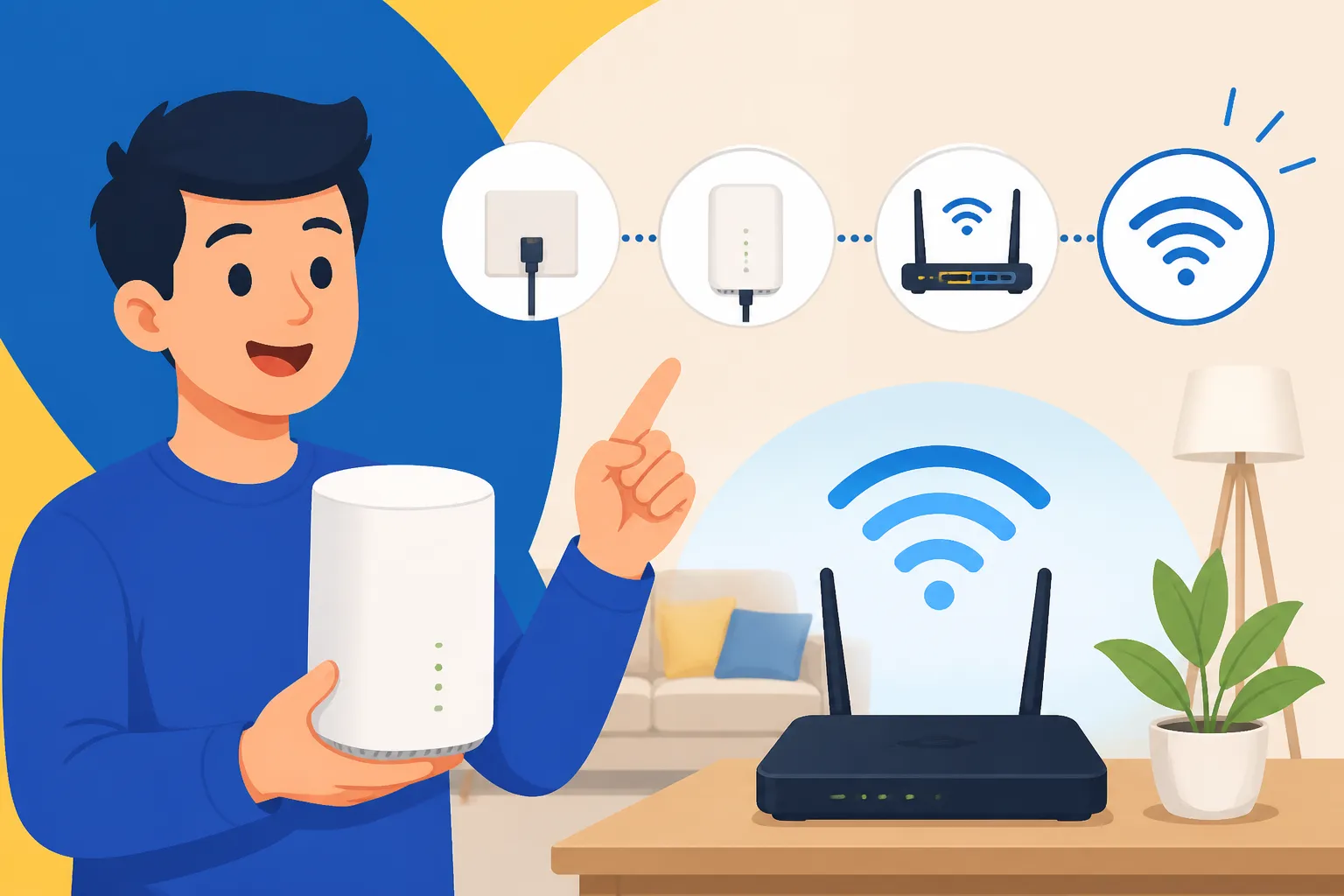
How Do I Set Up Internet (Unifi) in My Malaysian Home?
One of the first things you'll desperately need when you land in Malaysia, after finding a roof over your head, is reliable internet. Trust me, the sheer thought of being disconnected, especially if you're working remotely or just trying to stay in touch with loved ones back home, can be a real source of anxiety. This guide is going to walk you through everything you need to know about setting up Unifi, Malaysia's prominent fibre broadband service, in your new Malaysian abode, easing that vital connection hurdle.
Understanding Unifi and Why Many Expats Choose It
When you first start looking into internet providers here in Malaysia, you’ll quickly hear the name "Unifi" pop up. It's the flagship fibre optic broadband service from Telekom Malaysia (TM), the country's largest fixed-line telecommunications provider. Think of it as the dominant player in the residential fibre internet game, much like some of the big names in your home country. For many expats, myself included, Unifi often becomes the default choice, and there are some very good reasons for that.
Firstly, Unifi boasts extensive fibre coverage across urban and increasingly semi-urban areas throughout Peninsular Malaysia, Sabah, and Sarawak. This means that in most expat-friendly neighbourhoods in Kuala Lumpur, Penang, Johor Bahru, or even smaller towns, you'll likely find Unifi available. This wide reach removes one major headache right off the bat: the uncertainty of whether a service can even reach your apartment or house. Their infrastructure is generally robust, providing a stable and relatively fast connection, which is crucial for everything from video calls to streaming your favourite shows without endless buffering.
Another compelling factor is their reputation for comprehensive packages. Beyond just internet speed, Unifi often bundles services like Unifi TV (a selection of local and international channels), voice lines, and even mobile plans under their Unifi Mobile brand. While not everyone needs or wants all these extras, having the option to combine services with one provider can simplify billing and customer service interactions. For new arrivals, navigating multiple providers can be daunting, so a one-stop shop can be quite appealing. They also offer a variety of speed tiers, from basic plans perfect for a single person's browsing needs to super-fast options suitable for large families with multiple devices and heavy usage, ensuring there's something for almost everyone's budget and requirements.
Your Step-by-Step Guide to Setting Up Unifi as a Foreigner
Alright, let's get down to brass tacks. Setting up internet in a new country can feel like navigating a bureaucratic maze, but with Unifi, it's fairly straightforward, provided you have all your ducks in a row. As an expat, there are a few extra steps and documents you’ll need compared to a local, but don't fret – thousands of us have done it successfully.
Checking Coverage and Choosing a Plan
Before you get too excited about blazing-fast internet, the very first thing you need to do is confirm that Unifi fibre is actually available at your exact address. This is super important because even if your neighbourhood generally has coverage, specific buildings or units might not be wired yet, or might only support another provider.
You can easily check this on the official Unifi website. There's usually a "Check Coverage" or "Apply Now" section where you input your full address. The system will tell you instantly if fibre is available. If it’s not, don’t despair; you might need to explore other providers like Maxis Fibre, Time Fibre (often found in high-rise buildings), or CelcomDigi Fibre. For those living in areas where fibre hasn't reached yet, 5G home internet or even traditional mobile hotspot options might be your only choices. While you wait for your Unifi installation, don't forget to grab a local SIM card or consider an eSIM like Airalo to stay connected on the go. This will be a lifesaver for those initial days or weeks.
Once you've confirmed coverage, it's time to pick your poison – I mean, your plan! Unifi offers various speed tiers, typically starting from 100 Mbps and going all the way up to 800 Mbps or even 1 Gbps. Consider your usage habits:
- 100 Mbps: Good for a single person or a couple who mostly browse, stream in HD, and do light work.
- 300-500 Mbps: Ideal for small families, those who game, stream 4K content, or have multiple devices connected simultaneously.
- 800 Mbps – 1 Gbps: Perfect for power users, large households, serious gamers, or those who frequently upload/download large files.
Also, look at the contract terms. Most fibre plans come with a 24-month contract. Breaking it early usually incurs a penalty, so make sure you're comfortable with the commitment. Sometimes they run promotions with free installation or router upgrades, so keep an eye out for those deals!
Required Documents for Foreigners
This is often where things get a bit tricky for foreigners, as the requirements can sometimes feel like a moving target. However, having a clear checklist will save you multiple trips to the TMpoint store or endless emails. Make sure all your documents are valid and, ideally, bring both originals and photocopies.
Here's a breakdown of the typical documents you'll need:
| Document Type | Specifics for Expats |
|---|---|
| Passport | Your original passport, valid for at least six months beyond your intended stay. They will need to verify your identity and nationality. |
| Visa/Permit | Your valid Malaysian visa (e.g., Employment Pass, Dependant Pass, MM2H visa, Student Pass). The duration of your visa might affect your contract eligibility. For those on an Employment Pass, it's typically tied to the pass duration. |
| Tenancy Agreement (SAP) | A stamped copy of your Tenancy Agreement (S&P for homeowners). This proves your residential address in Malaysia. Make sure it's legally stamped by the Inland Revenue Board (LHDN) – this is crucial here. If you're still looking for a place, this is one of the key documents to sort out. Read more about this process in our guide on The Complete Guide to Renting an Apartment in Malaysia (2027). |
| Employment Letter/Proof of Income | For those on an Employment Pass, a letter from your employer confirming your employment status and salary might be requested. For others (MM2H, self-employed), bank statements showing sufficient funds might be accepted, though an employment letter is generally preferred by Unifi. |
| Bank Account Details | For auto-debit payments. While not always mandatory for application, it’s strongly recommended for ease of monthly payments. Setting up a Malaysian bank account is one of those early "must-dos" – you can learn more about it in our guide, Banking in Malaysia: A Complete Guide for Foreigners (2027). |
| Local Contact Number | A Malaysian mobile number is essential for communication regarding your application and installation. If you haven't got one yet, now's the time! |
| Deposit | Foreigners are almost always required to pay an upfront deposit, which can range from RM 100 to RM 500 or more, depending on the plan and your nationality. This is separate from your first month's bill. |
Application Process: Online vs. In-Store
Now that you've got your documents ready, how do you actually apply? You have two main avenues:
Applying Online
The Unifi website is pretty user-friendly and allows you to apply entirely online. You'll fill out a form with your personal details, select your chosen plan, and then upload scanned copies of your required documents. The convenience factor here is huge; you can do it from the comfort of your temporary accommodation. However, for foreigners, sometimes there can be hiccups with document verification through the online system. You might submit everything, only to receive a call later requesting clearer scans or an in-person verification. If you're juggling myriad tasks involved in moving, a resource like Sirelo can be incredibly helpful for managing all those moving parts, ensuring you have the bandwidth to deal with applications like this.
Applying In-Store (TMpoint)
Visiting a TMpoint branch in person is often the more reliable option for expats, especially if you foresee any complexities with your documents or visa status. You can find TMpoint branches in most major shopping malls or commercial areas. For instance, in Kuala Lumpur, you'll find them in places like Mid Valley Megamall or Suria KLCC.
The benefits of applying in person are:
- Direct Interaction: You can speak directly with a Unifi representative who can clarify any doubts, check your documents on the spot, and advise on the best plan for your needs.
- Immediate Verification: This reduces the likelihood of delays caused by unclear document scans or missing information.
- Problem Solving: If there's an unusual situation with your visa or tenancy agreement, they can often offer solutions or alternative documents.
Be prepared for a bit of a wait, especially during peak hours. Bring a book or make sure your phone is charged!
Installation and Activation
Once your application is approved, Unifi will schedule an installation appointment. This usually happens within a few business days, but can take longer depending on demand or if your area requires new wiring.
What to Expect on Installation Day:
- Technician Visit: A Unifi technician will come to your home. They are usually quite professional and speak decent English.
- Fibre Optic Cable Laying: If your unit isn't already wired for fibre, they will need to run a fibre optic cable from the nearest junction box to your apartment. This might involve some drilling, so be sure to get permission from your landlord beforehand if you’re renting!
- Modem and Router Setup: The technician will install a modem (or an Optical Network Terminal, ONT) and a Wi-Fi router. They will configure it and make sure your internet is up and running.
- Speed Test: They should perform a speed test to confirm you're getting the speeds you signed up for.
- Typical Duration: The entire process usually takes between 1-3 hours, depending on the complexity of the installation.
Make sure you're present during the installation to guide the technician and address any questions. Once activated, you'll be able to connect your devices and enjoy your new internet connection! For an overall understanding of utility setups, check out How to Set Up Electricity (TNB) in Your Malaysian Home and How to Set Up Water, Gas and Internet in Malaysia.
What to Expect Post-Installation and Managing Your Unifi Account
So, the internet is up and running. Congratulations! But the journey doesn't end there. Knowing how to manage your account, pay your bills, and troubleshoot common issues will make your life much easier in the long run.
Billing and Payment
Unifi primarily operates on a monthly billing cycle. Your first bill might be slightly higher as it could include the pro-rated charges for the initial period, your deposit (if applicable), and the first full month’s subscription.
How to Pay Your Unifi Bill:
- Online Banking: This is the most common and convenient method. Most Malaysian banks (Maybank, CIMB, Public Bank, etc.) offer bill payment services where you can select "Telekom Malaysia" or "Unifi" as the payee.
- JomPAY: A popular bill payment service in Malaysia. You can find the Biller Code and Reference Number on your Unifi bill.
- Auto-Debit: Highly recommended! Set up an auto-debit from your Malaysian bank account or credit card to avoid missing payments. You can usually do this through the Unifi app, their website, or at a TMpoint.
- TMpoint: You can pay your bill in cash or by card at any TMpoint branch.
- Unifi Self-Care Portal/App: Unifi has a comprehensive online portal and mobile app where you can view your bills, track data usage, and make payments.
Make sure you understand your billing cycle and due dates. Missing payments can lead to service interruption and late payment charges. For more on online payments, refer to How to Pay Your Utility Bills Online in Malaysia.
Troubleshooting Common Issues
Even with the best providers, occasional internet hiccups are inevitable. Here are a few common issues and how to approach them:
- No Internet Connection: First, check if your modem and router lights are all green and stable. Try restarting both devices (power off for 30 seconds, then power on). If still no luck, check the Unifi app or website for any service announcements in your area, as outages do happen.
- Slow Speed: If your internet feels sluggish, run a speed test (e.g., Speedtest.net) to compare with your subscribed speed. Connect directly via an Ethernet cable to rule out Wi-Fi issues. If the speed is consistently lower than what you pay for, contact Unifi customer service.
- Wi-Fi Problems: The provided router might not cover large homes or multiple floors well. Consider investing in a mesh Wi-Fi system or Wi-Fi extenders for better coverage. Interference from other devices or neighbouring Wi-Fi networks can also cause issues.
How to Contact Unifi Customer Service:
- Unifi App: Often the fastest way to log a complaint or get support.
- Unifi Live Chat: Available on their website.
- Phone Hotline: Dial 100 from any TM fixed line or mobile (charges may apply from non-TM mobiles).
- TMpoint: For more complex issues or if you prefer face-to-face interaction.
Be patient, explain your issue clearly, and have your account details ready. They generally have English-speaking support staff.
Relocation and Termination
Life in Malaysia as an expat can be transient. Knowing what to do if you move house or decide to leave the country is important to avoid unexpected charges.
Relocation:
If you move to a new address within Unifi's coverage area, you can request a service relocation. There's usually a relocation fee, and it depends on whether your new home already has Unifi infrastructure. The process will involve a new installation appointment.
Termination:
If you decide to leave Malaysia permanently or switch providers, you'll need to terminate your Unifi service.
- Notice Period: Most contracts require a 30-day (or sometimes more) notice period for termination. Check your contract carefully.
- Early Termination Fee: If you terminate before your 24-month contract ends, you will almost certainly incur an early termination penalty, which can be substantial. This is a common pitfall for expats, so factor it into your plans if you anticipate leaving early.
- Return Equipment: You'll likely need to return the Unifi modem and router to a TMpoint branch. Failure to do so can result in charges for unreturned equipment.
Always get written confirmation of your termination and keep records of all your interactions, especially if you're leaving the country. Managing these administrative tasks efficiently is part of a smooth move, much like finding services for your move. For broader advice on your initial few months, check out The Complete Guide to Moving to Malaysia: Your First 90 Days (2027).
Setting up internet might seem like a small piece of the puzzle, but it's a foundational one for modern expat life. By understanding the process, having your documents ready, and knowing how to manage your service, you'll ensure a smooth connection to the world from your Malaysian home.
Disclaimer
The information provided in this guide is for general informational purposes only and is subject to change. While we strive to keep the content up-to-date and accurate, policies and procedures for internet service providers, visa regulations, and other administrative requirements in Malaysia can change without prior notice. Expats are strongly advised to verify all information with the relevant authorities, Unifi directly, or consult with legal and professional advisors before making any decisions. The author and publisher are not liable for any loss or damage arising from the use of this information.